Ready in five minutes
Install the Chrome extension, create your account and open any product page. Connect your Daraz store when you want to list and ship from the tool.
Add it to Chrome
Install Product Hunter from the Chrome Web Store. It works in Chrome and Edge on any computer.
Create your account
Sign up with your email. Your 3-day free trial starts at once, with every feature.
Open a product page
Go to Daraz, Noon or Trendyol. The Product Hunter bar appears on product and search pages. A short tour shows the rest.
Pick a plan
Choose your marketplaces, pay by Easypaisa, SadaPay or bank, and attach the receipt. Your plan starts once payment is confirmed.
Check a product before you buy stock
Open any product. The bar shows price, rating, estimated units sold per month, stock, market price, number of competitors and the seller's city. Open the side panel for sellers by city, similar products and reviews.
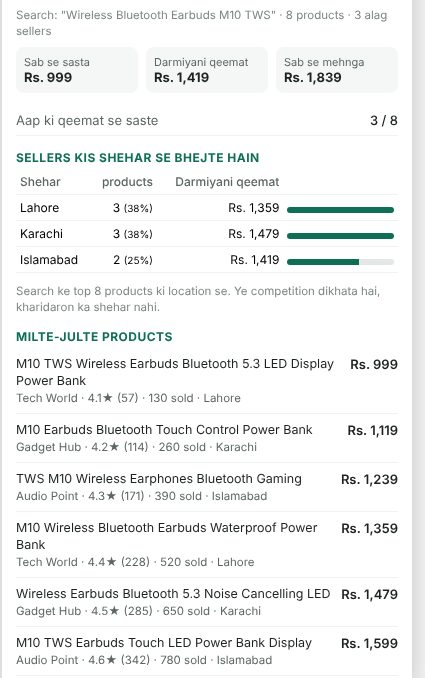
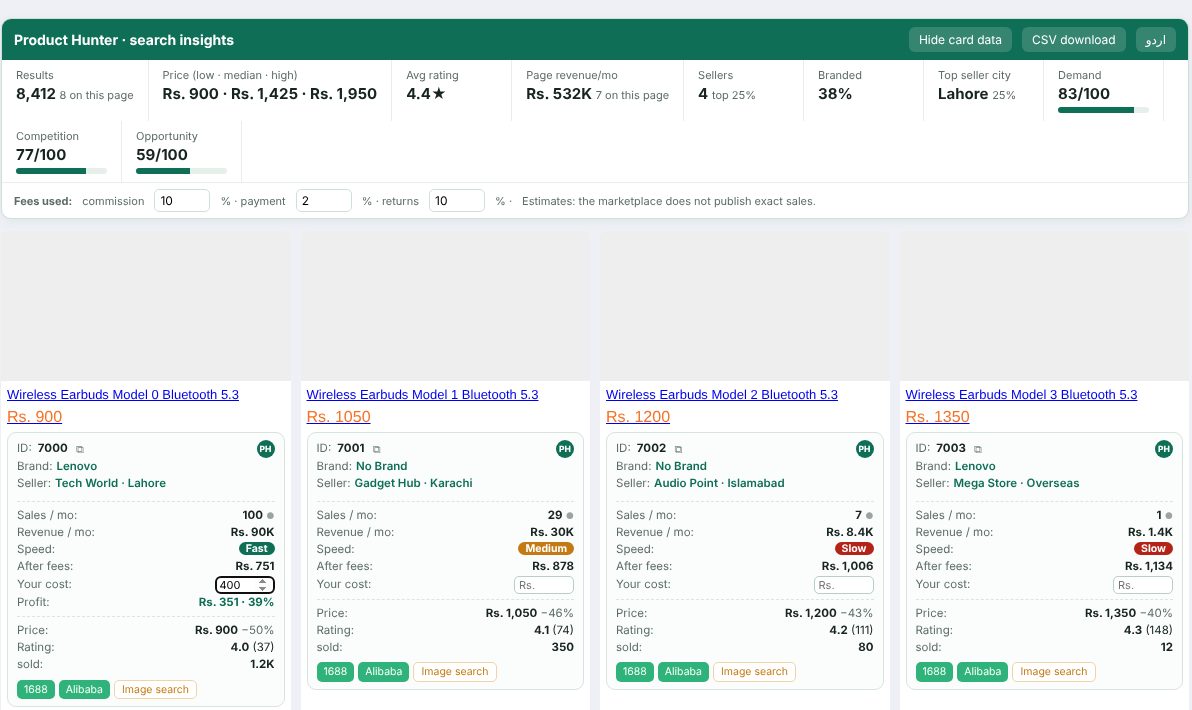
Compare a whole category in seconds
On a search page, every product card shows sales per month, revenue, speed and profit after fees. The insights box on top gives demand, competition and an opportunity score, with a CSV download.
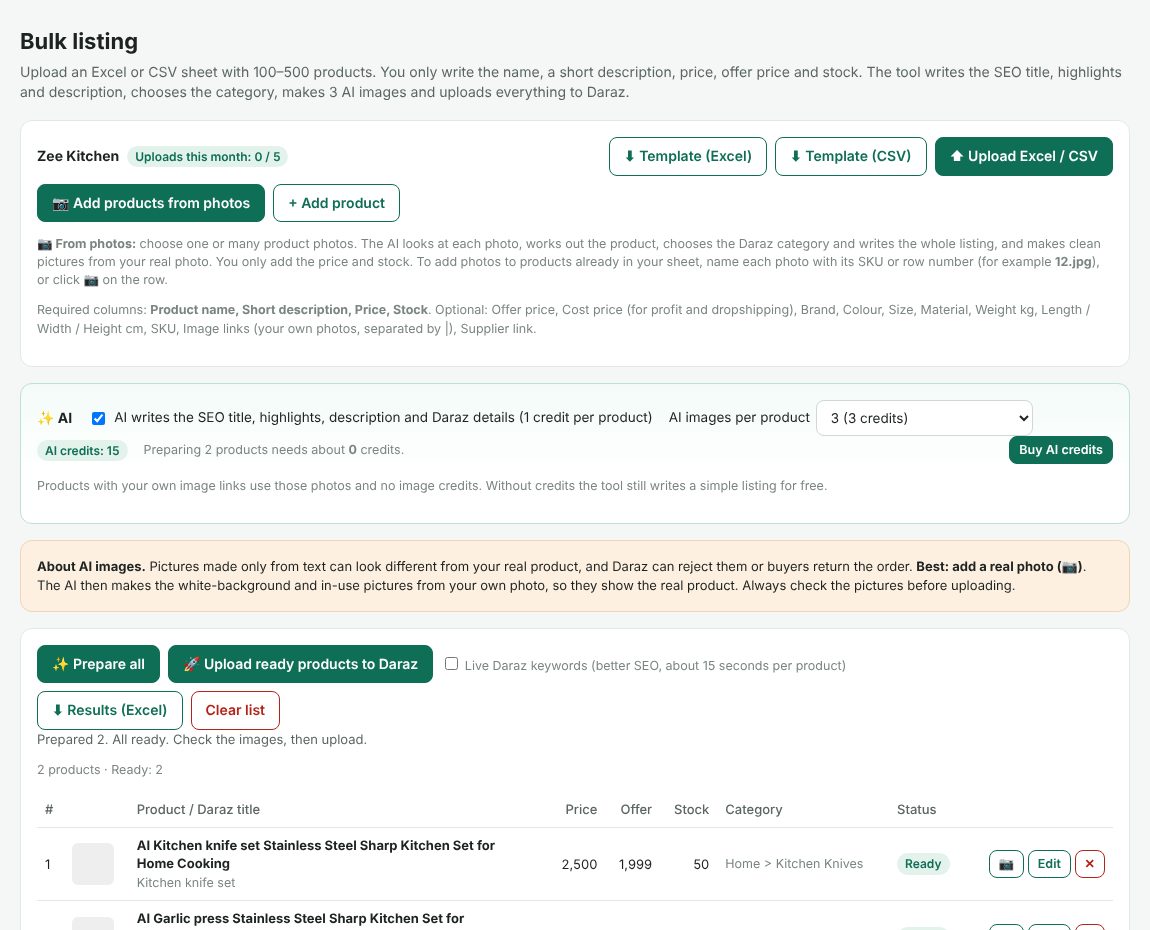
List from a photo or an Excel sheet
Click Connect Daraz store and approve on Daraz (official Daraz Open Platform; your password never comes to us). Then add products from photos, or upload the Excel template with only the short description, stock and price. Click Prepare all, check the listings and Upload.
- AI picks the category and fills the required fields
- SEO title and A+ description with a live preview
- Competitor prices and your margin to set the price
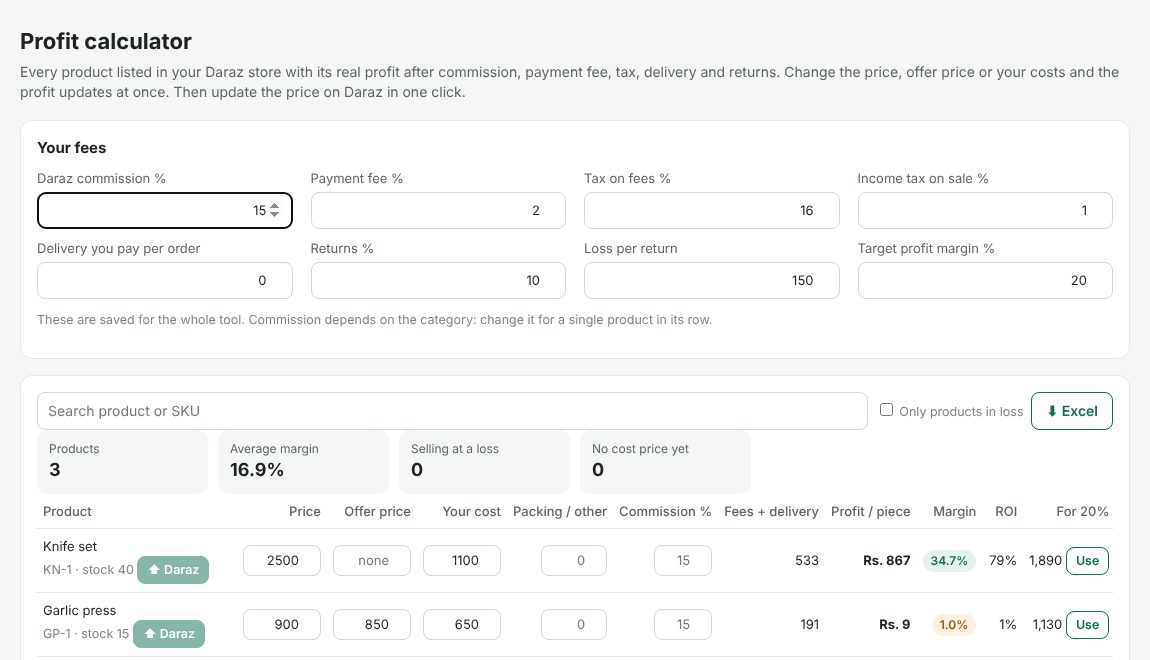
Profit, orders and returns in one place
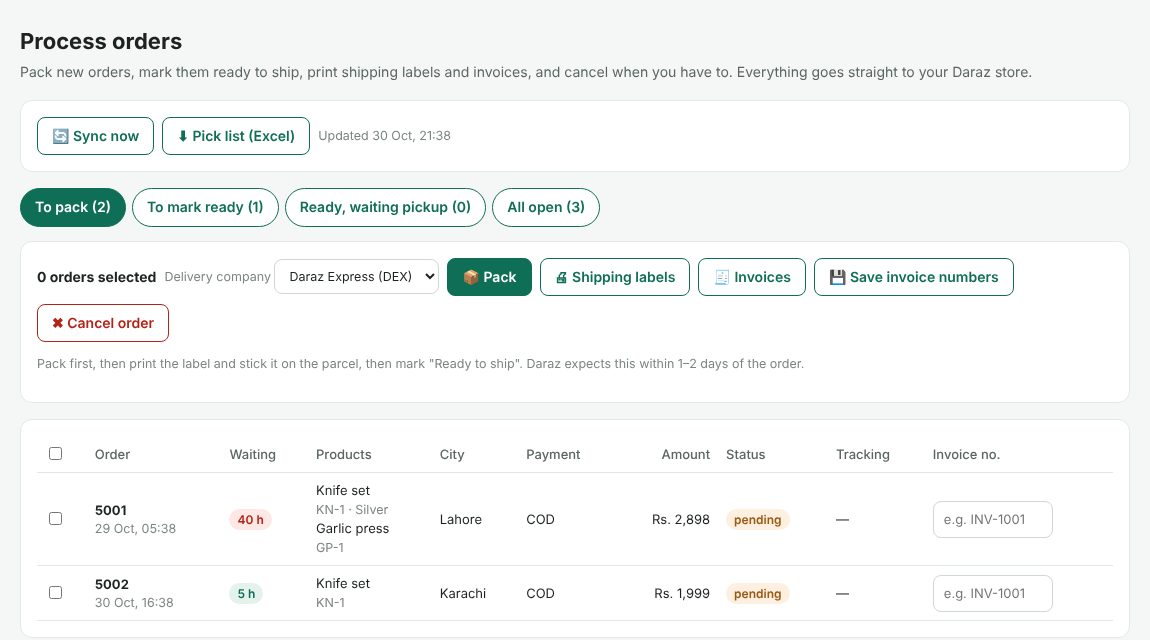
Orders sync every 30 minutes, even when Chrome is closed. See the real profit of every product, pack orders and print labels, handle returns and create vouchers for sales.
- Products selling at a loss show at once
- Orders waiting too long are marked in red
- Accept or reject returns with the reason
Pack, label, ready to ship
Select orders, choose the delivery company, pack, print shipping labels and invoices, and mark them ready to ship. Everything goes straight to your Daraz store.
Try every feature free for 3 days
No card needed. Questions? Ask us in the chat.